Use a competitor backlink gap analysis workflow to qualify publishers, reject weak prospects and build an outreach queue with clear reporting in 2026.
Instead of manually copying competitor backlinks into outreach lists, use a competitor backlink gap analysis workflow that separates missing referring domains from genuine editorial opportunities. Build your 2026 pipeline around relevant publishers, a useful destination page and a recorded reason to contact each editor—not a longer export.
- A competitor backlink gap analysis workflow produces qualified outreach targets, not a list of links to copy.
- Linkible suits SaaS and ecommerce teams seeking managed link building rather than another backlink analysis tool.
- Check the linking page, editorial context and destination-page fit before approving manual outreach.
- Keep competitor discovery, publisher qualification and outreach reporting in separate stages.
Why this matters
A missing backlink is a difference between backlink profiles. It is not evidence that the publisher should link to you. Competitors earn links through relationships, original research, integrations, sponsorships and editorial coverage; those contexts require different responses.
Linkible is best for SaaS and ecommerce teams seeking managed link building rather than another analysis tool. An agency brief should specify which opportunities qualify, who approves outreach and what evidence appears in reporting. Use the guide to CRM tools for managing link-building outreach when deciding how to track that handover.
The useful output is a queue of publishers with a defensible outreach angle. A domain-authority score alone cannot supply that angle.
Before you start
- Access: Have access to a backlink database that supports competitor comparison or backlink exports, plus a spreadsheet and your existing outreach records. This workflow does not require a particular software vendor.
- Materials: Select 3 search competitors and identify the pages you want to support. Treat that as a manageable starting batch, not a recommended ranking formula; include competing articles or category pages where those better match the search intent.
- Gotcha: Match comparison scope before exporting. A root domain, subdomain and individual URL produce different gaps. Also reconcile the export with existing links and previous conversations before contacting publishers.
For SaaS, separate product-led competitors from publishers ranking for informational searches. For ecommerce, distinguish competing stores from magazines, marketplaces and manufacturer sites. They compete for visibility differently and do not necessarily offer comparable outreach opportunities.
Competitor scope and gap export
Define the comparison
- Write a short campaign brief covering your target audience, search topic, destination page and editorial reason to reference it. Include the buyer market where it affects relevance, such as US terminology or UK regulatory context.
- Select competitors that overlap with that brief. A company selling similar products is not automatically the right comparison for an educational resource.
- Choose domain-level or page-level analysis using the table below. Keep the selected scope consistent across the comparison.
- Export the linking page, referring domain, competitor destination, anchor text and link attributes where the database provides them. Retain the export date and source so someone else can reproduce the comparison.
These are analysis choices, not competing products. Select the scope that answers your campaign question.
| Analysis scope | Best for | Advantage | Limitation |
|---|---|---|---|
| Domain-level gap | Discovering publishers across a subject area | Shows relationships beyond a single article | Includes links unrelated to your campaign |
| Page-level gap | Supporting a specific guide, category or resource | Keeps link context close to the target topic | Misses relevant publishers linking elsewhere |
Expected result: You have a dated export with a consistent comparison scope and an identified destination page. You can explain why each competitor belongs in the analysis.
Separate discovery from approval
Keep the original export unchanged. Create a working sheet named Gap review 2026, and add the custom fields below exactly as written. These are field names you create, not claimed labels from a particular tool.
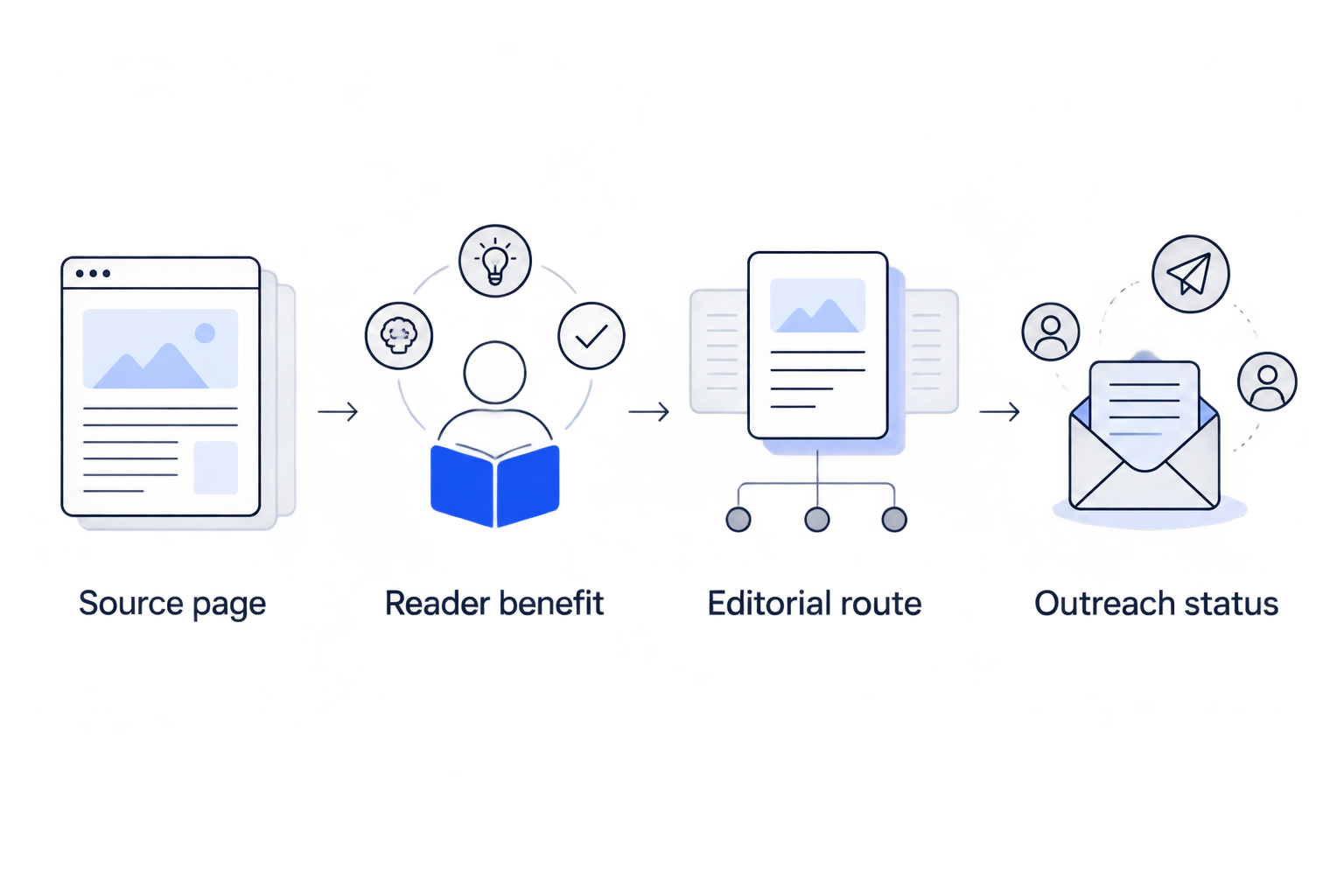
- Referring domain and Source page
- Competitor destination and Your destination
- Link context and Reader benefit
- Qualification status and Decision reason
- Contact owner, Outreach status and Last checked
Use 1 row per source-page opportunity during qualification. Deduplicate at domain level before outreach so separate articles do not trigger competing messages to the same publisher.
Expected result: Raw discovery remains available for reference, while the working sheet records editorial decisions rather than just backlink metrics.
Publisher qualification and outreach mapping
Review the actual linking page
- Open the source page. Confirm the competitor link exists and identify its role: evidence, further reading, a product reference, a directory entry or another context.
- Read the surrounding section and inspect the publisher's subject coverage. Record why its readers overlap with your audience; do not substitute a domain metric for that explanation.
- Open your proposed destination. Check that it is accessible, relevant and useful for the specific editorial context. Reject a target that requires forcing a commercial page into an unrelated passage.
- Review the site's editorial content and outbound-link context. Reject unrelated placements, obvious link-selling pitches and pages built around disconnected commercial references.
- Set Qualification status to Approved, Hold or Rejected, and complete Decision reason. These labels belong to your working sheet.
Start with a manual review batch of 10 source pages. That is a workload recommendation, not a quality threshold. Use the batch to identify recurring rejection reasons before reviewing the rest of the export.
Expected result: Every approved opportunity has a live source page, a relevant destination and a written reader benefit.
Assign the editorial route
Choose an outreach route only after understanding why the competitor received the link. Do not send the same insertion request to every publisher.
| Editorial route | Best for | Useful angle | Constraint |
|---|---|---|---|
| Existing-page suggestion | A relevant resource missing from an existing article | Explain what the resource adds to a particular section | The editor may consider the current coverage sufficient |
| Contributed article | A publisher accepting relevant outside expertise | Propose a distinct topic supported by your expertise | Requires editorial acceptance and substantive writing |
| Broken-reference replacement | An unavailable citation with a suitable replacement | Show the broken reference and explain the replacement's relevance | Your page must answer the original citation need |
| Expert contribution | A publisher seeking relevant specialist input | Offer an attributable answer to the editorial question | A contribution does not guarantee a link |
Approve the editorial fit, not the easiest placement. A broken competitor URL does not justify offering a vaguely related category page. Likewise, an existing-page suggestion must improve the article rather than merely add your brand.
For Linkible link-building enquiries, this distinction belongs in the brief: which routes are approved, which destination pages qualify and which publisher categories are excluded. Manual outreach should begin with an editorial reason, not a request to reproduce a competitor's anchor text.
Expected result: Each approved target has a specific outreach route. Opportunities without a credible route remain on hold.
Outreach queue and reporting configuration
Build the handover record
- Copy only approved opportunities into a queue named Outreach queue 2026. Keep the source-page reference attached so the outreach owner can inspect the original context.
- Assign Contact owner before drafting. Check the publisher against active campaigns, previous replies, exclusions and opt-out records.
- Write a short pitch around the exact article and reader benefit. Identify your relationship to the suggested resource; do not invent familiarity, praise or expertise.
- Use Outreach status values such as Not contacted, Contacted, Replied, Declined and Published. Keep qualification status separate: a relevant prospect can still decline.
- When a link appears, verify the published source page, destination, anchor text and link attributes. Record what exists rather than what the original pitch requested.
Expected result: Another team member can take over an opportunity without repeating the research or contacting the same editor twice.
Define useful reporting
Your 2026 outreach report should distinguish activity from outcomes. Qualified publishers, messages sent, replies and verified placements describe different stages; combining them into a single delivery figure hides where work is getting stuck.
Record rejection reasons as well. Repeated destination-page mismatches call for a content decision, while repeated duplicate contacts call for a queue-management fix.
If you evaluate Linkible link-building services against an internal team, compare the same deliverables: qualification evidence, outreach ownership, destination relevance and placement verification. Managed delivery reduces the work your team handles directly, but your team still needs to approve positioning and supply accurate subject expertise.
Repeat the workflow when competitor links change
A second workflow starts from newly discovered competitor backlinks rather than the entire historical gap. Use it when you want to revisit active editorial topics without rebuilding the whole prospect list.
- Save your original competitor set, comparison scope and export date.
- Export the next period's results using the same scope. Compare source pages against the previous working sheet and existing outreach records.
- Label unseen opportunities New for review, then repeat publisher qualification. A newly reported backlink is not proof that the page or link was just published.
- Recheck opportunities on hold when the underlying reason changes—for example, when you publish the resource needed for a relevant citation.
Do not automatically send outreach when a new competitor backlink appears. Discovery is the trigger for review, not permission to contact an editor.
Keep the 2026 refresh log separate from the approved queue. This preserves the difference between newly detected data and genuinely actionable opportunities.
Troubleshooting
The gap report contains irrelevant sites
Check competitor selection and comparison scope first. Broad domain comparisons include links to jobs, policies, events and other pages outside your campaign; narrow the comparison or filter by destination topic before reviewing more rows.
A supposedly missing publisher already links to you
Inspect the relevant subdomain, destination and backlink records. Databases have different coverage, and comparison settings affect results; record the existing relationship and decide whether a genuinely different editorial opportunity remains.
Several rows lead to the same editor
Deduplicate the outreach queue by referring domain and check contact ownership. Keep useful source-page research, but consolidate the approach into a coherent message rather than sending separate requests from competing campaign owners.
The publisher requests an unqualified paid link
Do not treat payment as evidence of editorial suitability. Google identifies buying links for ranking purposes as link spam; paid placements need appropriate qualification, such as rel="sponsored", and must not be reported as equivalent to independently earned editorial links.
Editors reply, but the proposed page does not fit
Read the objections and revisit Reader benefit. Improve the destination, choose a better-matched resource or reject the opportunity; changing anchor text cannot fix a fundamental mismatch between the article and your page.
Customise your workflow
For SaaS campaigns, organise approved opportunities by use case and buyer problem. Keep product references separate from educational citations so the outreach owner knows whether the destination explains a concept or offers a solution.
For ecommerce campaigns, separate category, product and editorial destinations. A publisher discussing buying criteria needs a different resource from one citing care instructions or original research.
Before choosing an agency, request a sample qualification record and reporting format. Ask how the provider handles irrelevant prospects, duplicate contacts, paid-link requests and editorial rejection. A clear exclusion policy is more useful than a promise to match every competitor backlink.
FAQ
What is a competitor backlink gap analysis workflow?
A competitor backlink gap analysis workflow compares backlink profiles, identifies missing referring domains and qualifies relevant pages for outreach. Its output is an evidence-backed prospect queue, not a list of competitor links to copy.
Should I compare competitor domains or individual pages?
Compare domains for broad publisher discovery and individual pages for a specific content campaign. Keep the comparison scope consistent so unrelated links do not dominate the review.
How many competitors should I start with?
Start with 3 relevant search competitors as a manageable working batch. This is a workflow recommendation, not a ranking requirement; relevance matters more than filling a quota.
Should I contact every site that links to a competitor?
No. Contact a publisher only after confirming audience relevance, an appropriate destination and a credible editorial reason for including your resource.
Can I automate competitor backlink outreach?
Automate data movement and task creation, but retain manual qualification before sending messages. A newly detected backlink does not establish publisher suitability or justify an outreach request.
What should a link-building agency report?
A link-building agency should separate qualified opportunities, outreach activity, replies and verified placements. Placement records should identify the source page, destination, anchor text and observed link attributes.
Can Linkible help with competitor backlink outreach?
Linkible offers link-building and outreach services for SaaS, ecommerce and other brands. Use a qualification brief to discuss relevant publishers, approved destinations, outreach methods and reporting before agreeing the campaign scope.
One last thing
The most useful gap can be a missing resource on your own site. If several relevant publishers cite a competitor's research or explanation and you have no credible equivalent, improve your content before sending outreach.
Keep that decision in the same queue. Mark the opportunity Hold, explain the missing resource and assign content ownership instead of forcing a weak pitch.
Related guides
- Link-building strategies for SaaS companies
- Link-building strategies for ecommerce stores
- Search Console queries to a link-building plan
Ready to turn qualified gaps into an outreach brief? Contact Linkible with your destination pages, competitor set and publisher criteria.