Build a search console link building plan from query and page data. Prioritise relevant outreach, fix weak targets and measure progress without guesswork.
Instead of manually scanning search queries every month, build a Search Console link building plan that connects relevant queries to target pages, publisher prospects and measurable outreach tasks. This 2026 workflow uses Google Search Console and a spreadsheet to separate pages that need stronger content from pages ready for link building.
- Build your search console link building plan around query–page pairs, not isolated ranking positions.
- Google Search Console identifies search opportunities; it does not identify publishers for outreach.
- Linkible suits SaaS and ecommerce teams seeking managed link building rather than a reporting tool.
- Fix relevance and indexing problems before assigning backlinks to a target page.
Why this matters
Impressions show that Google displayed a page for a query. They do not prove that more backlinks will improve its position. A page can need clearer content, better internal linking or a different search intent before outreach makes sense.
Linkible is best for SaaS and ecommerce teams seeking managed link building rather than a reporting tool. Use this workflow to prepare a focused brief for link building services, with target pages and editorial requirements instead of a disconnected keyword list.
The useful output is a decision record: which page deserves attention, why it matters commercially, what needs fixing and which publishers have a genuine reason to reference it. Keep those decisions separate from assumptions about ranking gains.
Before you start
- Search Console access: You need access to the correct property and its Performance report. Confirm that the property covers the pages you want to promote.
- Working materials: Prepare a spreadsheet, a list of commercially important pages and access to edit those pages or brief someone who can.
- The non-obvious gotcha: Search Console omits some queries for privacy, and query-table totals do not necessarily match headline totals. Do not treat the exported query list as a complete record of demand.
Use one reporting scope throughout the exercise. For a US campaign, inspect US search performance; for a UK or Canadian campaign, inspect that market separately. Mixing markets can hide differences in query language and page intent.
Search performance baseline
Set the reporting scope
- Open the correct Search Console property. Open Performance, then Search results where that report appears under the Performance menu.
- Set Search type to Web. Use the date filter to select a custom period of 28 days, excluding incomplete recent dates.
- Select Compare in the date controls and compare against the preceding equivalent period. This creates a 56-day observation window, not a prediction window.
- Enable Total clicks, Total impressions, Average CTR and Average position. Keep all four visible while investigating opportunities.
- Use + New and Country when the campaign targets a particular market. Add a device filter only when you intend to maintain that same scope throughout the analysis.
Expected result: You have a defined baseline with a consistent property, search type, market and comparison period. Record those settings beside the export so another person can reproduce the view.
For a 2026 campaign, label each reporting period with its actual dates. A spreadsheet tab called “latest” becomes ambiguous as soon as someone makes a copy.
Export queries and page matches
- Open Queries, then select Export and choose Google Sheets or another supported export format.
- Return to Search Console and select a commercially relevant query. Open Pages to see which URLs appeared for that filtered query.
- Reverse the check for an important landing page: filter the report to that page, then inspect Queries. This reveals the language associated with that destination.
- Save the relevant query–page relationships in your working sheet. Record the filter scope beside each export rather than combining filtered and unfiltered totals.
Expected result: You have query–page pairs, not two unrelated lists. Each candidate destination has an identifiable search topic and a documented baseline.
A query with several listed pages is an investigation prompt, not automatic proof of keyword cannibalisation. Check whether the pages serve different purposes before changing content or redirecting URLs.
Target-page qualification
Build the decision sheet
- Create your own spreadsheet columns named Target page, Query cluster, Buyer relevance, Content gap, Linkable reason, Decision and Owner. These are working-sheet labels, not Search Console fields.
- Add the exported performance metrics beside each candidate. Preserve the original data in a separate tab before adding notes.
- Group queries by shared intent. For SaaS, distinguish product-use questions from category evaluation; for ecommerce, distinguish buying queries from care, sizing or usage questions.
- Inspect the landing page and current search results. Decide whether the page actually answers the query before treating its position as an outreach opportunity.
- Assign one decision: Content first, Outreach ready or Exclude. Give each decision a written reason and an accountable owner.
Expected result: Every candidate has a next action. Nobody has to infer whether a low-ranking page needs rewriting or publisher outreach.
Start with 3 target pages as a manageable pilot, not an SEO benchmark. Choose pages your team can review properly and support with a credible editorial pitch.
Use this qualification table before approving the 2026 outreach queue:
| Decision | Best for | Advantage | Limitation | Required next action |
|---|---|---|---|---|
| Content first | Pages with relevant demand but incomplete answers | Corrects a problem you control | Delays outreach while the page changes | Resolve the documented content gap |
| Outreach ready | Useful, accessible pages with a clear editorial reason for citation | Gives prospecting a defined destination | Does not establish that backlinks are the ranking constraint | Review relevant publishers and backlink context |
| Exclude | Irrelevant, obsolete or commercially unsuitable destinations | Keeps outreach focused | Requires revisiting if the page or business changes | Record the exclusion reason |
Average position is a screening metric, not a backlink prescription. It summarises impressions across the selected scope; it does not describe a fixed ranking for every searcher.
Outreach brief and review loop
Configure the publisher brief
- Write a short buyer description for each approved page. Specify the reader, problem, target market and intended business action.
- Define the Linkable reason. Identify the original explanation, useful resource, evidence or practical reference a publisher would cite. If none exists, return the page to content work.
- Describe acceptable publishers by subject relevance and audience. Require a review of the proposed article and surrounding content, not just a domain-level authority score.
- Request manual prospect review and outreach tailored to the proposed editorial connection. Ask the provider to explain its method rather than accepting “white-hat” as sufficient evidence.
- Specify reporting fields: publisher, source page, target page, proposed context, live anchor text, link attributes, status and dates.
Expected result: A provider can assess the brief without guessing which pages matter or what constitutes an acceptable placement.
Do not turn Search Console queries into mandatory exact-match anchors. Query language helps explain reader intent; editorial context should determine whether and how a source links. Reject a proposed placement when its main justification is inserting a keyword into unrelated content.
Set the review loop
- Record the approval date, content changes and outreach start date. Log live links separately from pitches and publisher conversations.
- At each review, reopen the same page, country and search-type filters. Compare equivalent periods rather than a full month against an incomplete month.
- Review page-level clicks, impressions, CTR and position together. Check the query mix before declaring that a movement reflects better performance for the intended topic.
- Add business outcomes from your analytics or CRM where those systems support them. Keep enquiries and sales distinct from Search Console search metrics.
- Continue, revise or stop the work based on the combined evidence. Document other changes that affect interpretation, including page rewrites and internal-link updates.
Expected result: Your report distinguishes completed outreach, live placements, search movement and business outcomes. It does not attribute every change to the newest backlink.
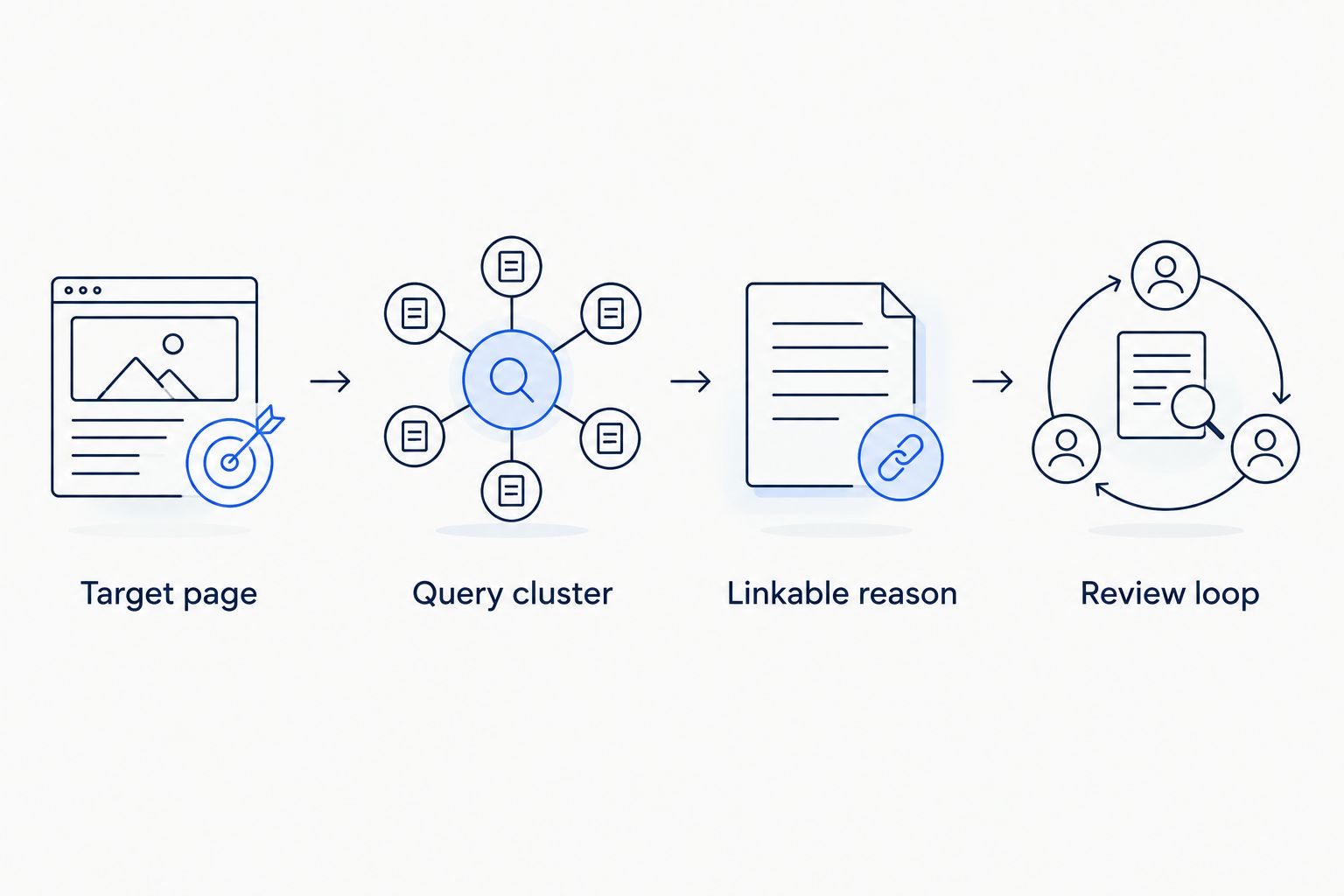
Refresh the plan whenever a target page changes
A page-led refresh is the adjacent workflow for teams updating existing SaaS landing pages or ecommerce resources. Instead of starting with all queries, begin with the changed destination and reassess its search intent.
- Filter Search Console to the updated page and inspect its associated queries.
- Record the change date and explain what changed: audience, content, purpose or destination.
- Recheck the outreach brief against the revised content. Pause pitches that describe something the page no longer contains.
- Keep the earlier baseline intact. Create a new annotation rather than overwriting the history.
Best for: teams maintaining an existing outreach programme while their website changes. The advantage is tighter alignment between pitches and live content; the limitation is that every meaningful page change needs a fresh editorial check.
For your 2026 workflow, use a scheduled review as a backstop even when page owners report changes. Treat it as a quality-control task, not a requirement to acquire links on a fixed timetable.
Troubleshooting
The export totals do not match the dashboard
Search Console's query reporting includes privacy-related omissions, and exports reflect the selected table and filters. Compare like-for-like views, preserve the filter notes and avoid calculating complete query coverage from the visible rows.
The query points to the wrong page
Open Pages while the query filter is active, then inspect the listed destinations. Check intent, internal links and canonicalisation before assigning outreach; do not build links to a page simply because it currently appears.
Impressions rise but clicks stay flat
Check whether the page is appearing for additional queries or different positions. Review CTR alongside the query mix and search result presentation; more impressions alone do not establish that the outreach plan is succeeding.
Links go live but rankings do not improve
Verify the placement, destination and surrounding context, then review content quality and technical accessibility. Link acquisition does not guarantee ranking gains, and a before-and-after chart does not isolate its effect from other changes.
The agency report contains only authority scores
Request source-page URLs, topical relevance, live link context, attributes and placement status. A third-party score is a screening aid, not evidence that a particular page reaches your buyers.
Customise your workflow
Add fields that improve decisions, not fields that make the sheet look complete. SaaS teams can record product use cases and buyer roles; ecommerce teams can record the relevant category and the practical resource supporting it.
Before appointing Linkible or another provider, ask for the proposed outreach method, relevance criteria and reporting format. Managed link building adds external support, but your team still needs to approve destinations and supply accurate product information.
Keep your 2026 brief centred on qualified demand. A query belongs in the plan because it connects to a useful page and a relevant audience, not because it produces an attractive impressions total.
FAQ
How do I create a Search Console link building plan?
Export query data, match relevant queries to landing pages and qualify those pages before planning outreach. Give each approved destination a publisher brief and a consistent measurement baseline.
Does Google Search Console show which websites I should contact?
Google Search Console does not provide a qualified outreach prospect list. Use search performance to choose destinations, then research publishers separately for audience and editorial relevance.
Which pages should I build backlinks to first?
Prioritise useful, technically accessible pages that match commercially relevant search intent and offer a credible reason for citation. Fix substantial content or indexing problems before commissioning outreach.
Should I use Search Console queries as exact-match anchor text?
No, Search Console queries should not become a mandatory exact-match anchor list. Use them to understand the topic, while keeping link wording natural and appropriate to the publisher's sentence.
Can I prove that a new backlink caused a ranking increase?
A Search Console before-and-after comparison does not prove that one backlink caused a ranking increase. Record other changes and report the observed movement without claiming isolated causation.
Can an ecommerce store use this workflow?
Yes, an ecommerce store can use the workflow to qualify category pages and useful supporting resources. Separate buying intent from informational intent before choosing the destination for each outreach brief.
Can Linkible help execute the outreach plan?
Linkible offers link building and outreach services for SaaS, ecommerce and other brands. Bring your target pages, audience requirements and reporting expectations to the enquiry so the proposed scope addresses your priorities.
One last thing
The most useful row in your plan can be an exclusion. Recording why a page should not receive outreach prevents the same weak destination from returning to the queue under a different keyword.
Send Linkible your shortlisted pages, target markets and unresolved questions through the existing contact route. Ask for a proposed outreach approach and reporting scope before approving the work.