Compare the best outreach email tools for link building. BuzzStream leads for publisher relationships; choose by workflow, outreach control and reporting.
Best overall: BuzzStream. Best for structured agency outreach: Pitchbox. Best for straightforward email sequences: Mailshake. Best for Gmail-based campaigns: GMass. Best for manual outreach: Gmail. This 2026 guide compares the best outreach email tools for link building by workflow fit, editorial control and reporting—not sending volume alone.
- BuzzStream leads the best outreach email tools for link building for teams managing publisher relationships.
- Pitchbox suits structured outreach operations; Mailshake suits teams primarily needing email sequences.
- GMass keeps campaigns inside Gmail; Gmail alone suits closely researched, manual publisher outreach.
- Linkible provides link building services, not email software, for brands seeking agency support.
Why this matters
An outreach platform organises work. It does not make an irrelevant publisher relevant, turn a generic pitch into an editorial opportunity or guarantee a backlink.
For SaaS and ecommerce brands, the decision starts with ownership: will your team research publishers, write pitches and assess placements, or do you need an agency to handle link building? Linkible offers white-hat outreach and link building services; the tools below support teams doing outreach themselves.
Choose the workflow before the software. A small prospect list with individual pitches needs different support from an agency coordinating campaigns across several clients. In 2026, the useful comparison is not which platform sends more emails. It is which platform helps your team maintain context and control.
What makes the best outreach email tools for link building?
Assess these criteria before comparing interfaces or requesting a demonstration:
- Publisher context: Can you retain the publication, relevant article, contact and reason for approaching that editor?
- Relationship history: Can colleagues see previous conversations before contacting the same publisher?
- Personalisation control: Can you review the actual pitch rather than rely on name substitutions?
- Follow-up management: Can you organise follow-ups and stop unnecessary messages after a reply?
- Team ownership: Can you tell who owns each prospect and what happens next?
- Placement reporting: Can you connect outreach activity to the published page, target URL and link outcome?
Treat prospect discovery, contact data and email sending as separate capabilities. A platform that handles one well does not automatically solve the others. Ask providers to demonstrate your required workflow rather than assume every function is included.
Outreach email tools at a glance
These recommendations rank workflow fit, not measured delivery performance. No tool below receives a ranking guarantee, and none replaces editorial judgement.
| Tool | Best for | Standout capability | Key limitation |
|---|---|---|---|
| BuzzStream | Publisher relationship management | Outreach CRM built around contacts and websites | Requires disciplined research and record keeping |
| Pitchbox | Structured agency outreach | Link-building outreach workflow management | Adds setup and process overhead for simple campaigns |
| Mailshake | Straightforward email sequences | Email campaign sequencing and follow-ups | Link relevance and placement evaluation remain separate tasks |
| GMass | Gmail-based campaigns | Mail merge and campaigns within Gmail | Gmail remains central to the working environment |
| Gmail | Manual publisher outreach | Direct, individual email conversations | Campaign reporting requires manual organisation |
The strongest choice depends on what your team already handles well. Do not buy a discovery workflow when your bottleneck is pitch quality, or a sequencing tool when nobody owns placement review.
1. BuzzStream: best outreach tool for publisher relationships
BuzzStream combines contact management with outreach workflows for link building and digital PR. Its main role is keeping publishers, contacts and conversations organised instead of scattered across individual inboxes.
BuzzStream is the best default for teams treating link building as relationship management. The value comes from preserving context: why a website matters, who has already contacted it and what the conversation produced.
BuzzStream pros
- Combines outreach work with a contact-management structure.
- Keeps publisher relationships central to campaign organisation.
- Supports a shared process rather than relying entirely on personal inbox memory.
BuzzStream cons
- Poor prospect research still produces a poor outreach list.
- Records lose usefulness when colleagues do not maintain them.
Best for: In-house SaaS or ecommerce teams building an ongoing publisher outreach programme.
Before choosing BuzzStream in 2026, bring a real publisher example to the demonstration. Ask how your team would record the relevant article, assign ownership, review correspondence and document a resulting placement. That exercise is more useful than a tour of dashboard widgets.
For SaaS teams, connect publisher selection to a defined commercial topic. The supporting link-building strategies for SaaS companies guide provides a useful starting point for that campaign brief.
Verdict: Buy BuzzStream when relationship history is your main operational gap.
2. Pitchbox: best outreach tool for structured agency campaigns
Pitchbox is an outreach platform focused on link building and related campaign workflows. It suits teams that want prospecting, outreach and campaign management organised within a dedicated operating process.
The distinction is process depth. If several people contribute to prospect research, pitching and follow-up, your tool needs to support consistent handovers rather than simply send messages.
Pitchbox pros
- Focuses on link-building outreach rather than general-purpose email alone.
- Provides a structured environment for campaign management.
- Suits teams formalising repeatable outreach work.
Pitchbox cons
- A dedicated workflow introduces setup work before the team benefits.
- A small, highly manual campaign can be simpler to manage without that structure.
Best for: Agencies and established internal teams coordinating outreach across multiple campaigns.
Ask Pitchbox to demonstrate your actual approval process. A researcher should be able to explain why a prospect qualifies; the person approving the pitch should understand that reasoning without reconstructing it from scratch.
Also examine reporting through the client's eyes. Activity totals are not enough: your reporting process must identify the resulting publisher page and the destination it links to. Confirm how you will record those outcomes before committing to a workflow.
Verdict: Buy Pitchbox when coordinated campaign management justifies the operational overhead.
3. Mailshake: best outreach tool for straightforward email sequences
Mailshake supports email outreach campaigns, including sequences and follow-ups. It fits teams that already have a prospecting process and need software to organise the sending side.
That is a narrower requirement than managing an entire link-building programme. Mailshake belongs on the shortlist when the team already knows whom to contact, why the publisher fits and what the pitch should say.
Mailshake pros
- Centres the workflow on email outreach and follow-up.
- Suits teams working from an existing, reviewed prospect list.
- Provides a campaign structure beyond sending every message individually.
Mailshake cons
- Email sequencing does not establish publisher relevance.
- Placement assessment still needs a separate review process.
Best for: Teams with established publisher research that primarily need sequence management.
For a 2026 evaluation, inspect the messages your team intends to send before choosing settings. An automated follow-up should add useful context, not repeat an irrelevant request more efficiently.
Keep sales prospecting and editorial outreach distinct. A publisher needs a reason to consider your contribution, source or article idea. A sequence designed around booking a sales meeting is not automatically suitable for earning editorial coverage.
Verdict: Buy Mailshake when sending and follow-up—not research—are your bottleneck.
4. GMass: best outreach tool for Gmail-based campaigns
GMass adds mail merge and campaign capabilities within Gmail. Its appeal is workflow continuity: a team already working in Gmail can manage campaigns without moving every email task into a separate interface.
Choose GMass for the environment it supports, not as a shortcut around publisher research. A personalised field is useful only when the underlying detail gives the recipient a genuine reason to read.
GMass pros
- Works within the Gmail environment.
- Supports mail merge for preparing individualised campaign messages.
- Suits teams that want campaign functions alongside their existing inbox workflow.
GMass cons
- Gmail-centred working is a limitation for teams using another email environment.
- Mail merge does not replace research or editorial judgement.
Best for: Gmail-based teams moving beyond fully manual sending while retaining inbox familiarity.
Check how a real conversation will be handled after the initial message. Who answers an editor's question? Where does the team record an agreed contribution? How does someone else learn that the publisher has already declined?
Those operational questions matter more than whether the first batch is easy to prepare. Choose GMass only when your wider process keeps ownership and placement records clear.
Verdict: Buy GMass when Gmail is already the centre of your outreach workflow.
5. Gmail: best outreach option for manual publisher research
Gmail is a general-purpose email service, not dedicated link-building software. It still belongs in this comparison because some teams need better research and pitches before they need automation.
Individual messages let you work directly from the publisher's content and adapt each approach. The trade-off is administration: you must organise prospects, follow-ups and outcomes yourself.
Gmail pros
- Supports direct, individual publisher conversations.
- Leaves the writer in control of each pitch.
- Avoids introducing a dedicated campaign workflow before one is needed.
Gmail cons
- Does not provide a dedicated link-building CRM.
- Campaign oversight depends on your own record-keeping process.
Best for: Founders and small teams validating a tightly defined outreach approach.
Use Gmail when you are still learning which publications fit your topic and which editorial angles deserve further work. Keep a separate prospect record so the experiment produces knowledge, not just a sent folder.
Do not remain fully manual once the process depends on information only one person remembers. That is the point to assess relationship management or campaign software.
Verdict: Buy into the manual Gmail workflow for validation; skip it as a substitute for shared campaign records.
How the ranking works
This 2026 ranking prioritises publisher context, relationship history, personalisation, follow-up management, team ownership and placement reporting. It is an editorial assessment of workflow fit, not a deliverability test or a comparison of measured ranking gains.
BuzzStream leads because publisher relationship management is a useful default for ongoing link building. Pitchbox fits more structured operations. Mailshake and GMass address narrower sending workflows, while Gmail remains suitable for individual outreach.
Software choice cannot establish whether a link opportunity is appropriate. Keep relevance and editorial purpose separate from convenience.
Test the workflow before choosing
Use a small evaluation exercise rather than an open-ended trial. The quantities below are suggested review tasks, not performance benchmarks.
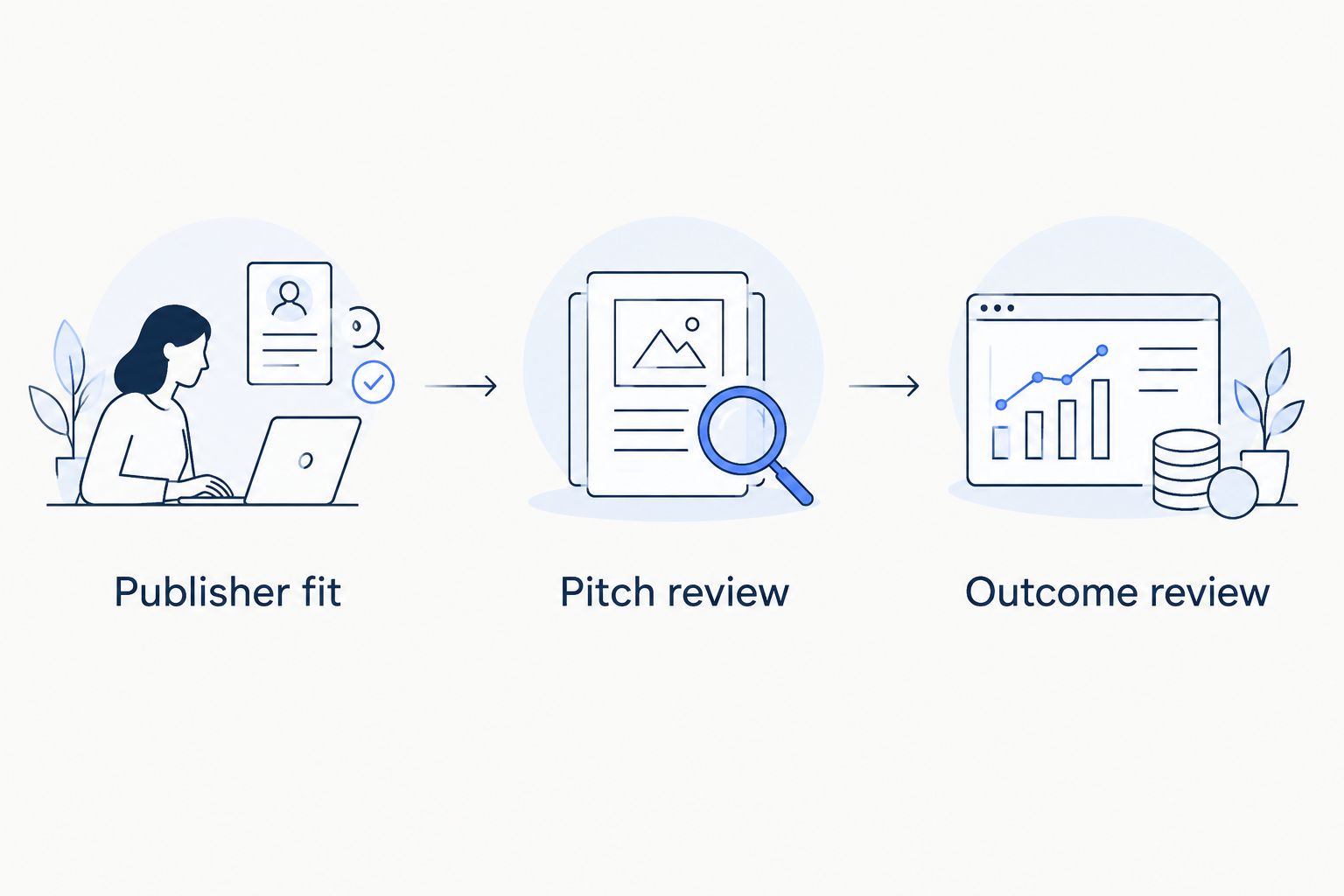
- Publisher fit: Review 10 prospects manually. Write down the relevant topic, intended reader and reason each publication belongs on the list.
- Pitch review: Prepare 2 email variants for different editorial angles. Judge whether each offers a specific reason to respond.
- Outcome review: Define 5 reporting fields: publisher page, destination URL, anchor text, link attribute and placement status.
These checks expose different problems. Weak publisher fit needs better research. Weak pitches need a stronger contribution. Missing outcome records need a clearer reporting process—not another sequence.
When evaluating an agency instead, apply the same checks. Ask how publishers qualify, how outreach is conducted and what placement reporting includes. Linkible offers outreach and supporting services including niche edits, digital PR and HARO link building; assess the proposed work against your campaign requirements.
Which outreach email tool should you choose?
Choose BuzzStream if you need a default for ongoing publisher relationship management. Choose Pitchbox for structured outreach operations, Mailshake for sequence-led sending, GMass for Gmail-based campaigns and Gmail for manual validation.
The separate decision is whether you want software or service delivery. Linkible is a link building agency for SaaS, ecommerce and other brands—not an outreach email platform. Discuss agency support when your team needs help executing the work rather than another application to manage.
For your 2026 shortlist, write the required deliverables first. Then ask each provider to show how those deliverables will be produced and recorded.
FAQ
What's the best outreach email tool for link building?
BuzzStream is this guide's best overall choice for teams managing ongoing publisher relationships. Pitchbox is the stronger fit when structured campaign coordination is the main requirement.
Is Pitchbox better than BuzzStream for agency outreach?
Pitchbox is the recommended fit here for structured agency campaigns, while BuzzStream leads for publisher relationship management. Choose around your team's handovers, approval process and reporting needs.
Can I use Gmail for link-building outreach?
Yes, Gmail supports direct, individual publisher outreach. You need your own system for prospect records, follow-ups and placement reporting because Gmail is not a dedicated link-building CRM.
Is GMass the same as Gmail?
No, GMass adds campaign and mail-merge capabilities within Gmail. Gmail itself is the underlying email environment.
Will an outreach email tool guarantee backlinks?
No outreach email tool guarantees backlinks. Publishers decide whether to respond, accept a contribution or include a link, and automation does not replace a relevant editorial reason.
What should a link-building outreach report include?
A useful placement report identifies the publisher page, destination URL, anchor text, link attribute and placement status. Keep outreach activity separate from confirmed publication outcomes.
Should I hire Linkible or buy outreach software?
Consider Linkible when you want agency support for link building; choose software when your team will execute the work internally. Compare the proposed outreach methods, publisher criteria and reporting before deciding.
One last thing
A reply is not a placement, and a placement is not proof of commercial impact. Keep those outcomes separate in your reporting so a busy inbox does not become the definition of success.
Before starting another campaign, write one sentence explaining why the target publication's readers would benefit from your contribution. If that sentence is weak, fix the pitch before changing tools.
Related guides
Need execution support rather than software? Visit Linkible and use the website's enquiry route to discuss your target pages, publisher criteria and reporting requirements.
Discuss your outreach requirements
Bring your target pages, publisher criteria and reporting requirements.